
There is no lobby queue, no matchmaking and no download. One person opens the table, everyone else types in a code, and you are playing. Here is the whole thing.
What you need
- A browser — on a laptop, tablet or phone. Chrome, Safari, Firefox and Edge all work.
- An internet connection for everyone at the table.
- A name to play under. That is it: no account, no email, no install.
Signing in is optional. It adds a friends list, invites and a profile that follows you across devices — but you can play the whole night as a guest.
Step by step
- Open the tableGo to ultimatecards.net/app. Type the name you want the other players to see, then choose Host a Game.
- Pick a gameChoose a preset — Rummy, Hearts, Crazy 8s, Teen Patti, whatever your group plays — or pick Free Play for an open table you run yourself. Set the number of seats (2 to 13) and how many decks you want.
- Share the room codeThe lobby shows a four-character code such as
2T2K. Read it out, text it, or copy the invite link — the link drops people straight into the join screen with the code already filled in. - Everyone joinsEach player opens the same page, enters their name and the code, and appears in your lobby. Mobile-app players use the same code — a browser and a phone can sit at the same table.
- DealWhen the seats are full, the host presses Start Game, then deals from the dealer controls. Cards land in each player’s hand — and only that player can see their own faces.
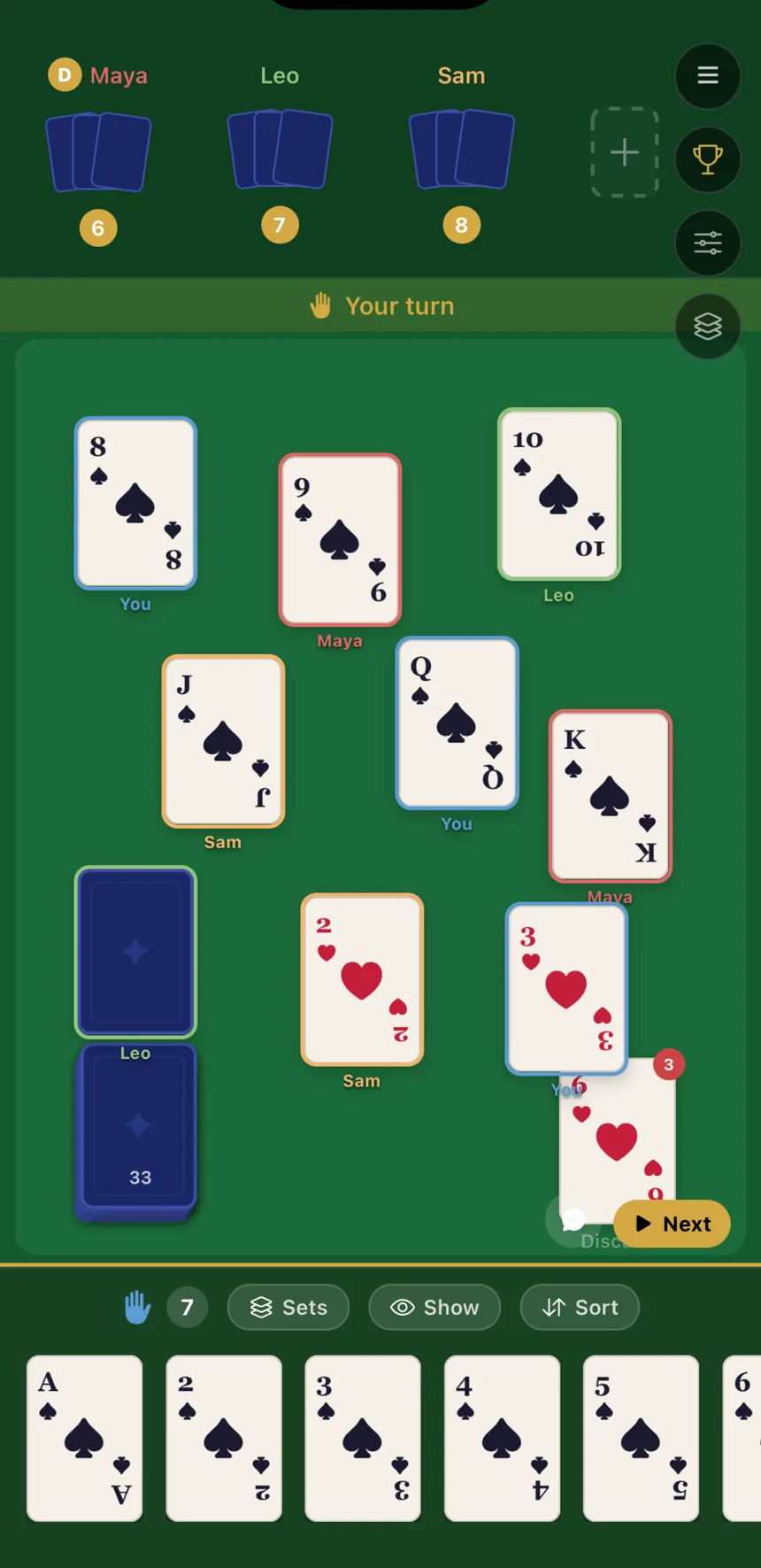
Playing a hand
The table works the way a real one does — you move cards, the game does not move them for you.
- Draw — click the deck, or press + Draw in the bottom toolbar.
- Play — drag a card from your hand onto the felt. Drop zones light up as you drag.
- Discard — drag onto the discard pile.
- Give — drag onto another player to hand them a card, when the host allows giving.
- Take — click a pile to pick up its top card.
- Right-click a pile or the discard for its menu: flip it face up or down, lock it in place, or rename it.
Use Sort rank and Sort suit under your hand to tidy up, and Show to reveal a specific card to a specific player without playing it.
If someone drops out
Connections wobble. Two things protect the game: a player who reconnects returns to their own seat with their own hand, and if the host disappears, hosting migrates to another player automatically — the table, the cards and the scores all survive.
Common snags
| Problem | Fix |
|---|---|
| “Room not found” | Codes are four characters and not case-sensitive. Check for a 0 read as an O, or a 1 read as an I. |
| The Join button is greyed out | You need a display name before you can host or join. |
| A friend cannot connect | Online rooms need a live internet connection on every device — a captive-portal Wi-Fi (hotel, café sign-in page) will block it. |
| The table looks cramped on a phone | Open Settings › Display and lower the card size, or turn off owner names and borders. |
Free, no download, no account. Bring two to thirteen people.
Open the card table